Navigate to the Datasphere Queries page using the Queries icon.

|
Queries: Enables you to write SQL queries manually or using the SQL Query Builder. |
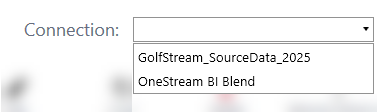
The Datasphere Queries home page displays a table listing all existing Datasphere queries. View available queries by first choosing a Connection from the Connection drop-down menu.
The Datasphere Queries table displays these columns:
-
Name: The name of the query.
-
Query: The full SQL query in text form.
-
Query Type: Displays how the query was created and saved. The values will display either Query Builder or Manual.
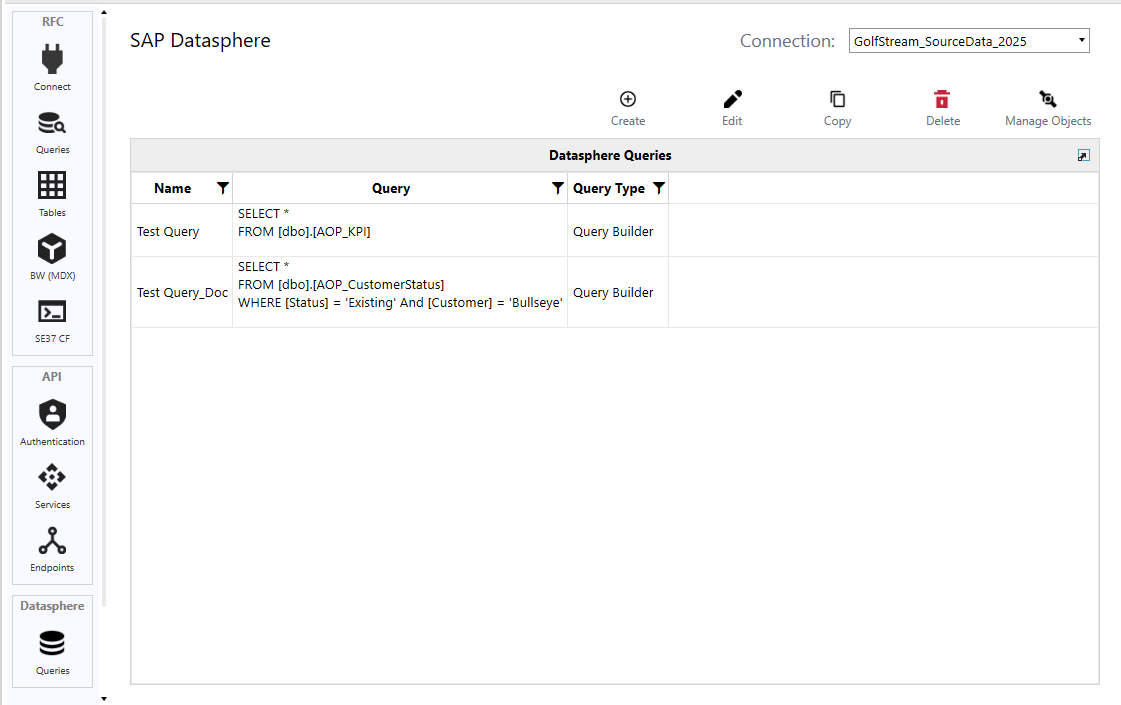
Select any query from the table to view editable details and take the following actions:

-
Create: Write a query manually or using the SQL Query Builder. See Create a New Query.
-
Edit: Modify an existing query. See Edit a Query.
-
Copy: Make a copy of the selected query. See Copy a Query.
-
Delete: Remove the selected query from the table and from SAP Connector. See Delete a Query.
-
Manage Objects: Create or update a Connector Business Rule and, optionally, a Data Source for the selected connector. See Manage Connector Objects.


